
One browser.
Your whole workbench.

Whistler puts the tools you keep alt-tabbing to — a file manager, a real terminal, Git, split view, your passwords — inside the browser itself. Open a tab for the web, a tab for your drives, a tab for your shell.

Whistler is currently in development. There's nothing to download yet — this page is a preview of what's coming.

Tools that live where you work

These aren't extensions bolted onto a browser. They're first-class tabs and panels, sharing one window, one theme, one keyboard.

FileSpectre

Every drive you own, in a browser tab

A full file manager: local disks, mapped network drives, and cloud accounts like Google Drive side by side in one view. Browse archives with built-in 7-Zip support, preview thumbnails, examine disk usage, and resize detail columns the way you like them — it remembers.

  • Local, network, and cloud drives in a single pane
  • Open, create, and extract archives without leaving the browser
  • Disk examiner for finding what's eating your space
  • Live directory watching — the view updates as files change

Terminal

A real shell, not a toy

A genuine PTY-backed terminal — PowerShell, cmd, or your shell of choice — in a tab next to your pages. Save quick commands per project, so npm run dev for one codebase and your build script for another are each one click away.

  • Full terminal emulation with clickable links
  • Per-project command sets with one-click buttons
  • Pair it with a FileSpectre pane in split view for a complete dev cockpit

Git, built in

Your repos know where they live

FileSpectre understands Git. Initialize a repository in any folder, reconnect a folder to an existing remote, and save per-project profiles — path, remote URL, and branch — so jumping back into a project is one click, not a hunt through terminals.

  • Init, status, and remote management from the file manager
  • Saved profiles for every project you juggle
  • Uses your real Git install — no wrapper weirdness

Split view

Panes, not window juggling

Split the window side-by-side or into a grid, and give every pane its own tabs. Keep docs open next to your terminal, or the web next to your files. Save a pane's tabs as a group and reopen them later — in the active pane, a new pane, or a new window.

  • Side-by-side and grid layouts with draggable dividers
  • Independent tab strips per pane
  • Tab groups you can restore exactly where you want them

WhistlePass

Your vault, your machine

A password manager that opens as a panel beside your pages. Credentials are encrypted with your operating system's own secure storage and unlocked with a master password — then filled into sites as you browse. No third-party vault service in the middle.

  • OS-level encryption via native secure storage
  • Master-password unlock, autofill on your sites
  • Lives in a side panel — check a login without losing your page

A browser you extend like an app platform

Whistler's plugin system goes beyond web extensions. Plugins are full applications — mail clients, chat, price trackers, dashboards — installed from the catalog with one click, each pinned to the sidebar.

WhistleMail

Full email client — IMAP and SMTP, right in the sidebar.

WhistleChat

Chat and messaging integration.

WhistleDeal

Track product prices across stores and catch the drop.

WhistleBiz

Business tools and productivity features.

PlayRoyale

Gaming dashboard and stats.

NeuralCouncil

Meeting and collaboration tools.

Private plugins

Drop your own plugin folder in and Whistler hot-loads it — no store review, no publishing step. Private plugins are never catalog-checked or auto-updated; they're yours. If you can write JavaScript, you can put your own tool in the sidebar.

And it's still a great everyday browser

The workbench doesn't cost you the basics. Whistler handles the everyday web — including the parts most indie browsers can't.

Streaming that actually plays

Ships with Widevine DRM support, so Netflix, Prime Video, Disney+, Hulu and the rest stream like they do in Chrome — a rarity outside the big browsers.

Chrome extensions

Install extensions straight from the Chrome Web Store and manage them in Whistler.

WhistleIt search & new tab

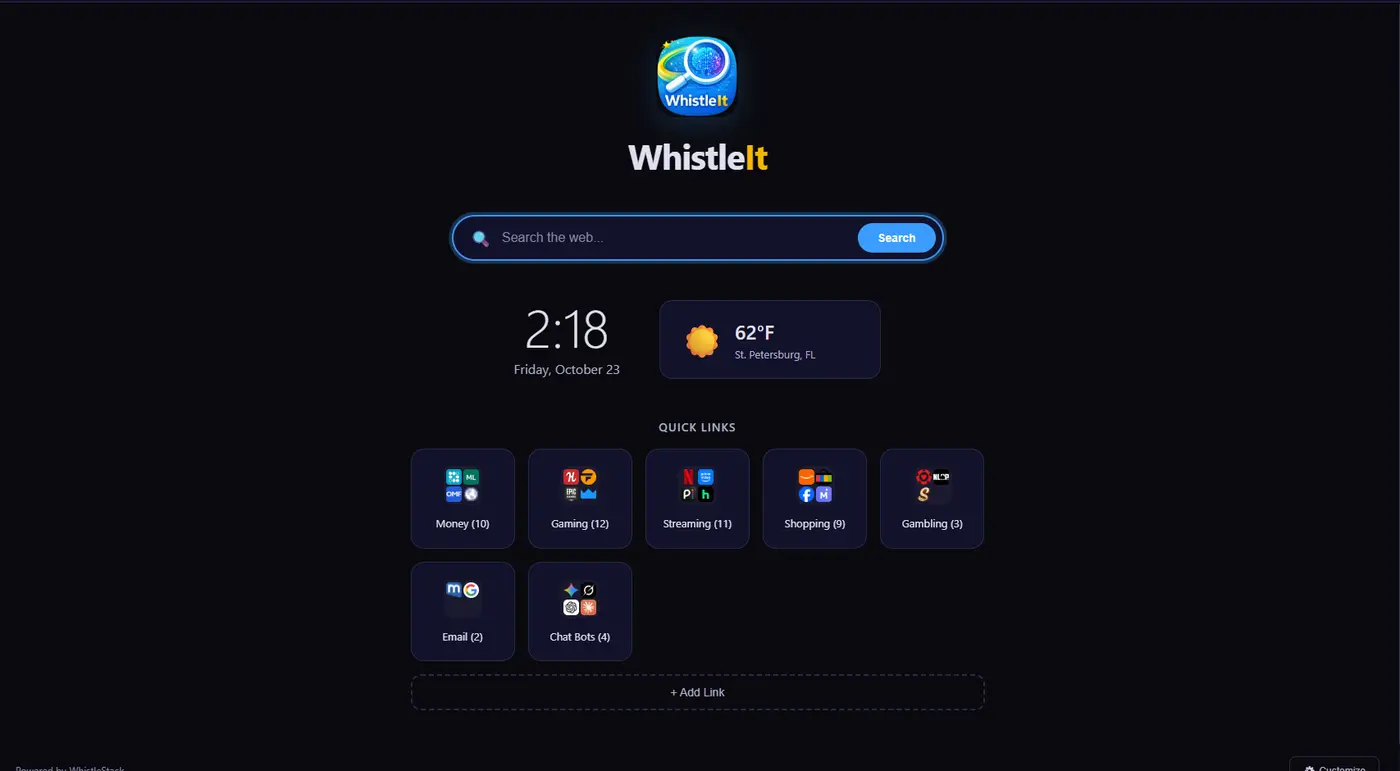
A clean new-tab page with search, local weather, and quick links organized into categories you define.

Isolated sessions

Separate cookie and storage contexts let you stay signed in to the same site with different accounts at once.

Sync & accounts

Bookmarks, quick links and settings sync through your Whistler account — local-first, so the browser never waits on a server.

Private by default

Precise geolocation is off until you grant it per site. Your vault and credentials stay on your machine.

Document viewer & image editor

Open documents and touch up images in-browser instead of round-tripping through other apps.

Auto-updates

When Whistler ships, it keeps itself current with signed automatic updates.

Whistler is in development

Everything on this page is real and running in internal builds, but Whistler isn't ready for download yet. We're polishing the workbench, the plugin catalog, and the installer pipeline before opening it up.

Check back here — this page will be where downloads land when they're ready.